

GPT Image 2.5 Editing Workflow: References, Revisions and Visual Checks
Prepare visual briefs and references for GPT Image 2.5, choose a supported input mode, revise one detail at a time and check text, product identity and final output.
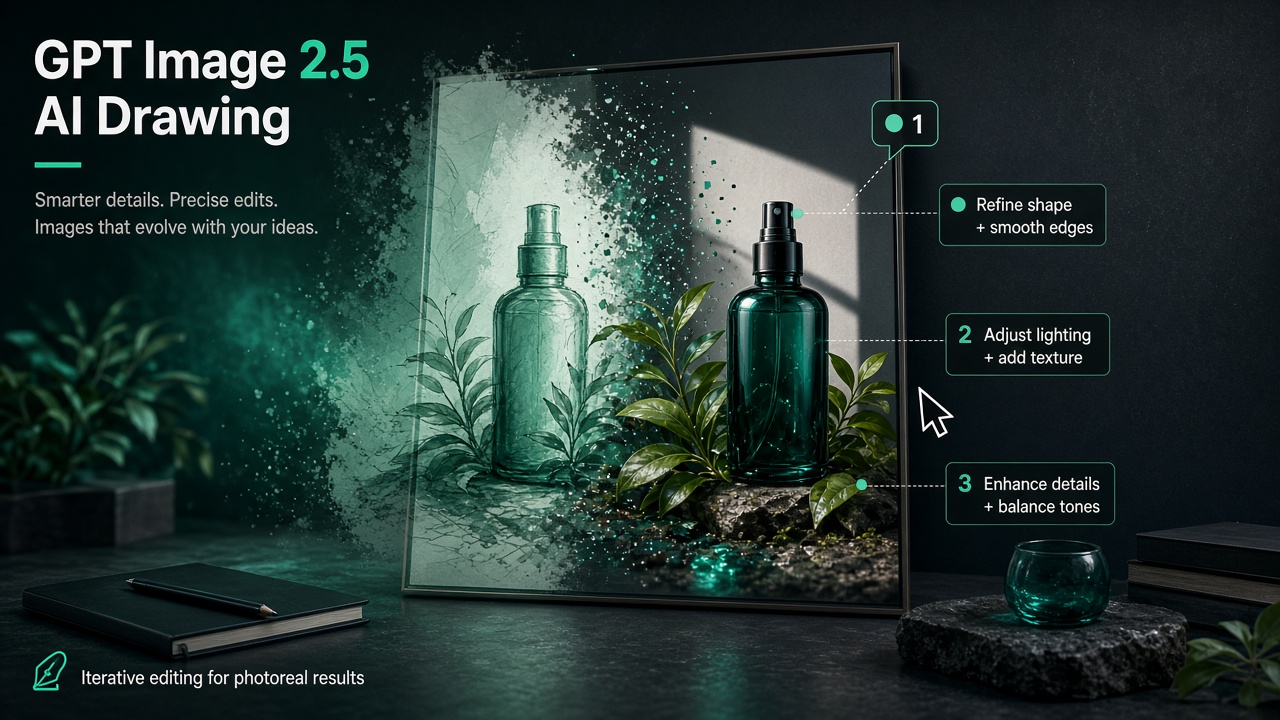
An image-editing brief should separate what may change from what must remain intact. This tutorial uses the BaBawu Ai GPT Image 2.5 entry to prepare references, review a first image and revise a specific defect. It does not assume a higher version number guarantees better edits than GPT Image 2 or another model.
Choose the input mode before drafting
The current catalog lists text-to-image, image-to-image and reference-to-image modes. Inspect the selected mode in the workbench before submitting; the presence of an input field is not evidence that an end-to-end task has been tested.
| Input | Prepare | Check in the output |
|---|---|---|
| Text brief | Subject, composition, lighting and exact copy | Requested elements and readable text |
| Existing image | A permitted source image and a precise change list | Protected details remain intact |
| Reference images | Reference roles and required product features | Shape, logo and material consistency |
Current catalog fields include aspect ratio and a 1K / 2K / 4K resolution choice; quality is currently auto. Use the options actually shown for the selected mode. Resolution describes an output setting, not a promise of correct text, product fidelity or superior commercial quality.
Review a first image before revising
List the product details that must not change: proportions, label wording, logo placement and material. Ask for one change, such as the background or lighting, and compare the result with the source side by side. Retain the last approved image so an unsuccessful revision can be discarded.
Prompt templates
The following original prompts express desired results. Readable logos, accurate Chinese text and unchanged packaging must be checked after generation; wording alone cannot guarantee them.
White-backdrop studio skincare bottle at 45°, soft light, sharp readable logo, commercial hero shot, no extra fingers, garbled text, or watermarks.
Vertical promo poster, clear Chinese headline “限时礼遇” on top, product bottle centered below, light background, generous whitespace for ecommerce PDP hero, no typos or warped glyphs.
Keep the bottle proportions and logo placement from the reference unchanged; replace the background with a clean light-gray studio, cleaner light, sharper edges; do not alter logo letterforms.
Write one GPT Image 2.5 prompt: smartwatch on white backdrop, 45°, metal texture, simple watch-face UI on screen; include don’ts: no warped strap, no garbled UI, no watermark.
Three practical recipes
A: A product hero test
Prepare one brief and an approved reference if needed. Select the supported mode and settings, inspect the returned image at delivery size and record defects. Check result history and usage in the current account interface rather than assuming every step is logged identically.
B: Composition samples to a reviewed edit
Create a few direction samples within your budget, choose one, then revise a single issue. If comparing GPT Image 2, Nano Banana 2 or Midjourney Image, keep the brief and acceptance criteria fixed. Record retries and manual fixes; do not assign a permanent draft/polish role by brand.
C: A still for video and music handoff
Approve the still before passing it to a video mode that accepts the required input. Check motion and product identity, then audition a Suno track under the rough cut. Duration and no-vocals instructions need output review; assemble and inspect the final edit separately.
Delivery checklist
- Read every visible word and compare labels with approved copy; add text in an editor if necessary.
- Inspect shape, edges, reflections and background for unintended changes.
- Verify aspect ratio and returned image dimensions rather than relying only on the selected resolution label.
- Record the actual charge and revision effort if comparing workflows.
Open the product page below for current inputs and prices. This tutorial is a preparation and review method; no paid generation, latency benchmark or image-quality comparison was run for this revision.
Related products and tutorials
- GPT Image 2.5
- GPT Image 2 product visuals guide
- AI drawing models comparison
- Midjourney Image online guide
- AI workbench multi-model switching
- image-to-video workflow
- Nano Banana 2
- Midjourney Image
- GPT Image 2
- Seedance 2.0
- Google Veo 3.1
- DeepSeek V4 Flash
- GPT 5.6 Sol
- models list
- unified workbench
- Pricing
- Claude Sonnet 5
- Gemini 3.5 Flash
- Grok 4.5
- Account
- Suno